Add Custom Streams
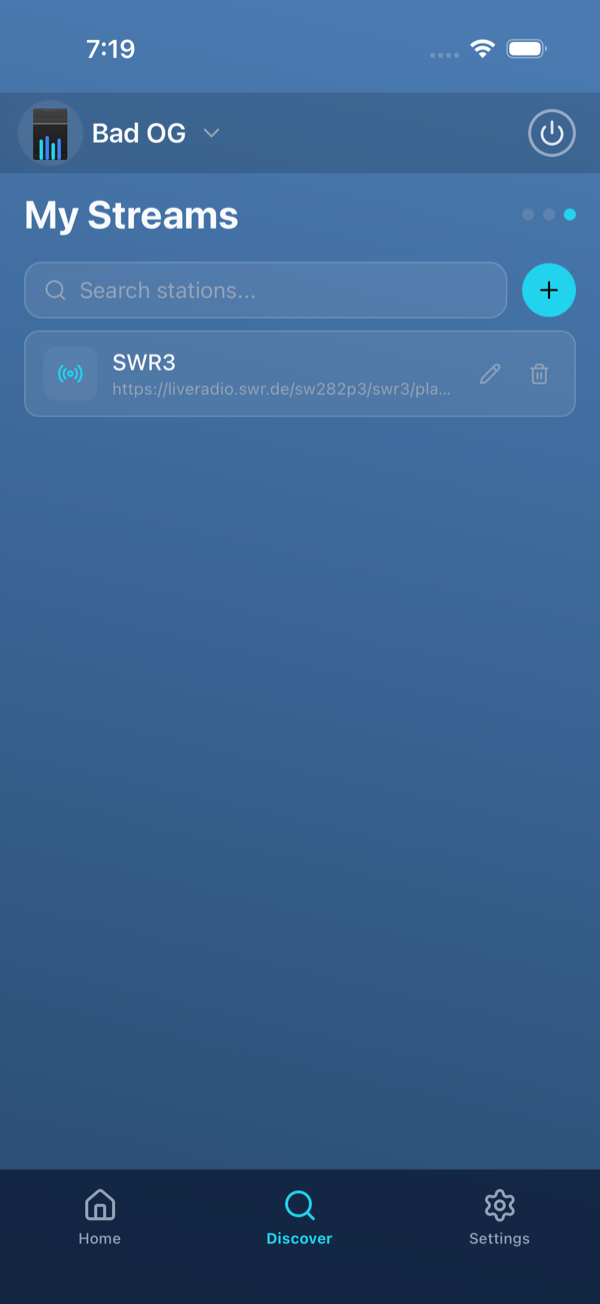
With My Streams you can add any internet-radio station by URL and play it on your SoundTouch speakers. Your streams are saved to your Bosman account and available across all your installations.
Step by step
1
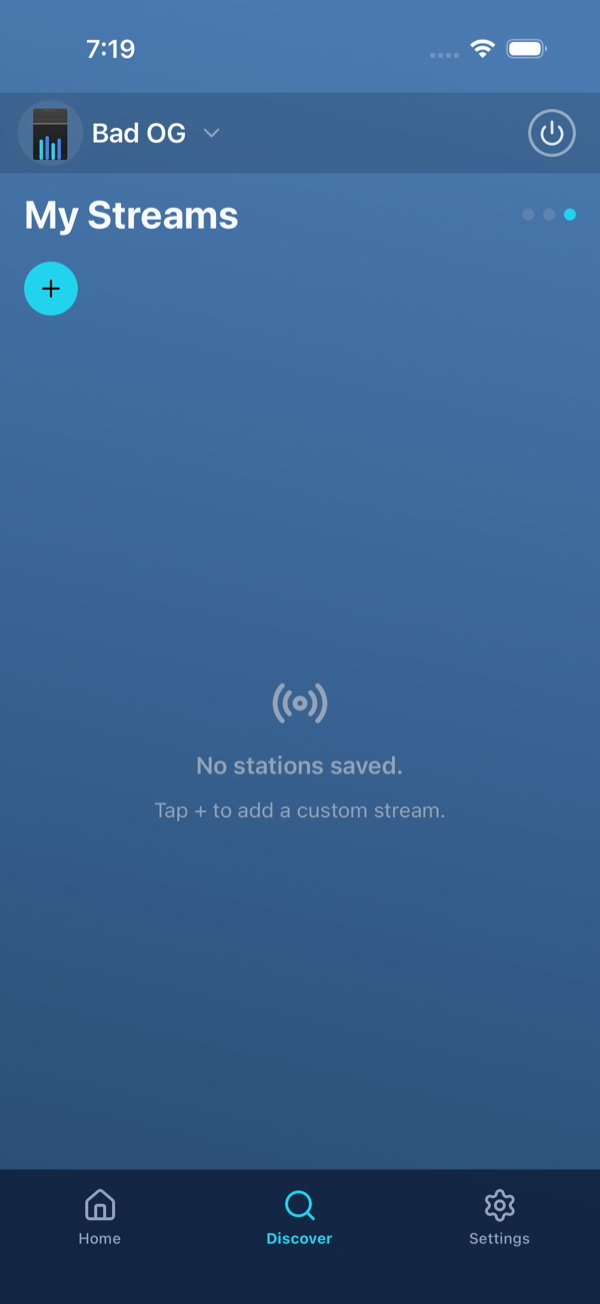
Go to “My Streams”
Tap Discover at the bottom and swipe to the third page My Streams.
2
Tap “+”
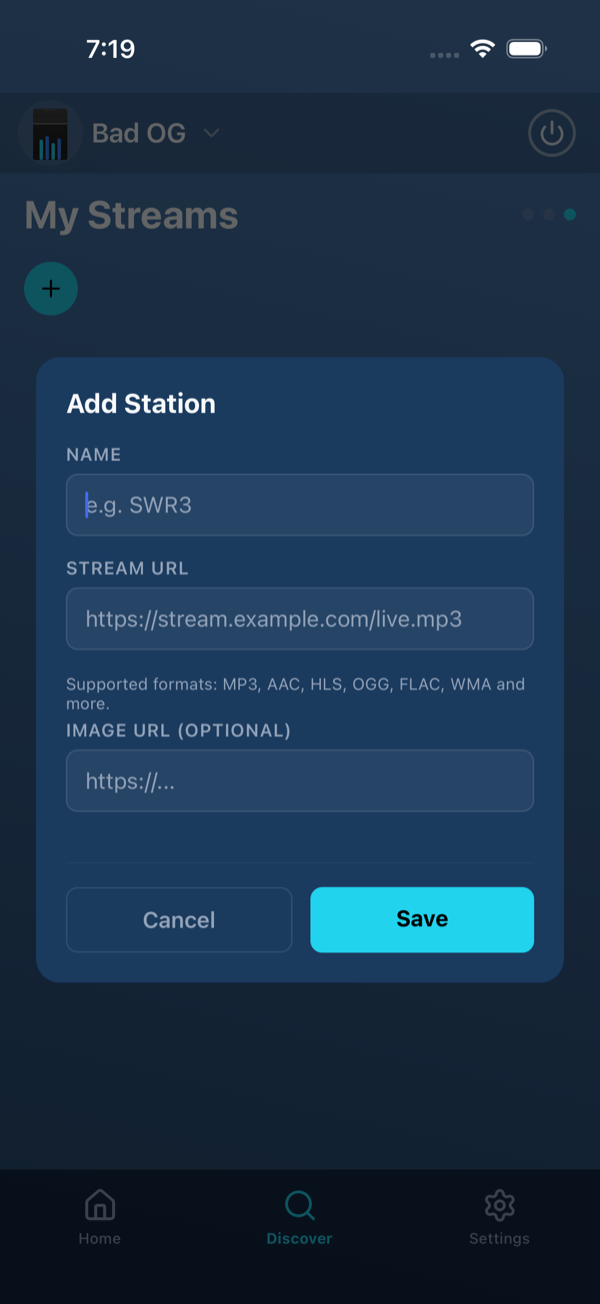
Tap the + to open the Add Station form.
3
Enter a name and stream URL
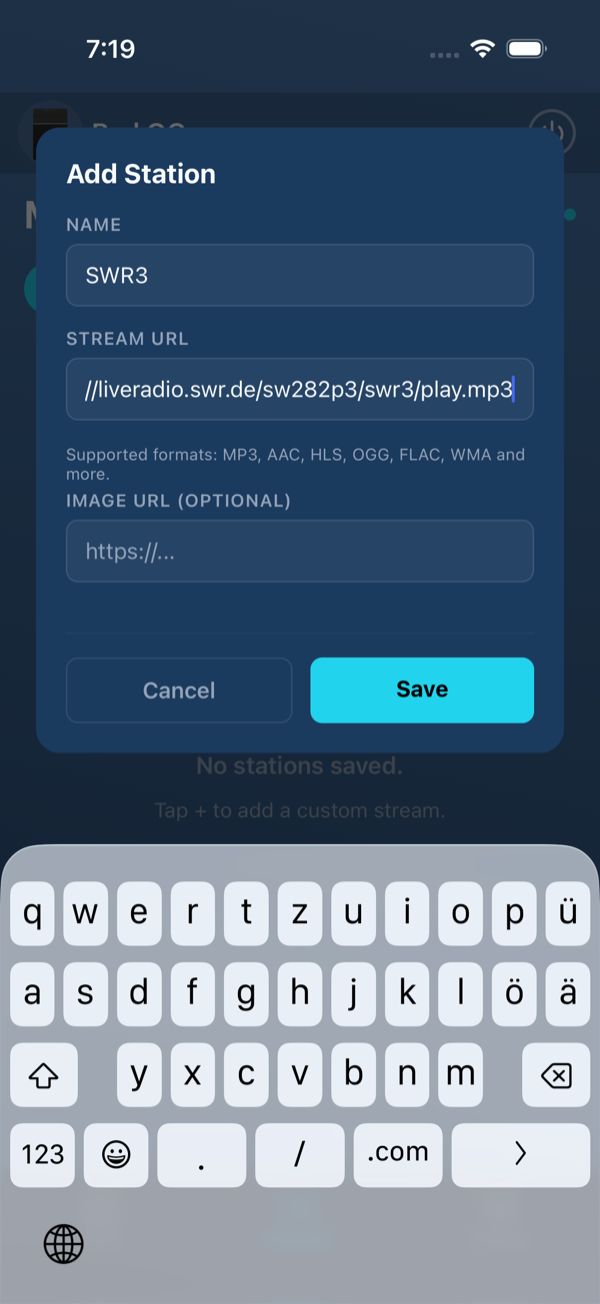
Enter a name (e.g. “SWR3”) and the stream URL. An image URL for the station logo is optional. The URL must start with http:// or https://.
4
Save and play
Tap Save. The station appears in your list. Tap it to play on the selected speaker — the pencil edits it, the trash deletes it.
Supported formats
MP3, AAC, HLS, OGG, FLAC, WMA and more.
Good to know
- Creating works even without a speaker. To play, a speaker must be selected and reachable on the network.
- You can save up to 100 custom streams.
- Your streams are saved to your Bosman account and synced across all your installations.